Award-winning custom 3D printing. Shipping to Ireland, UK, Europe, Iceland and USA. See the details
3D Scanning in Ireland: How It Works, What It’s Good For, and How to Get Started
Learn what 3D scanning is, what it’s best used for, and what kinds of objects scan well. This guide also covers scanning vs CAD design, common file formats (STL/OBJ/3MF), and the easiest ways to get a 3D scan done in Ireland (ship-in, drop-off, or on-site).
Shreevats Shreevastav
5/11/20263 min read
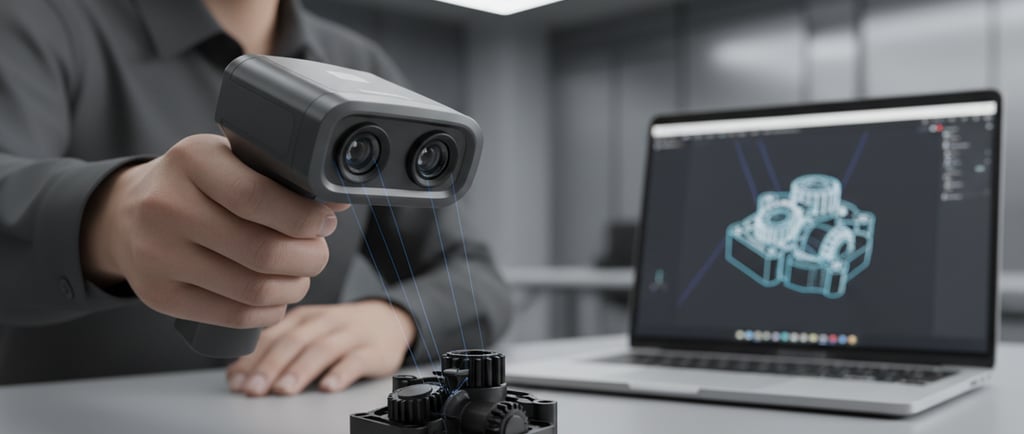
3D scanning is one of the easiest ways to turn a real-world object into a digital 3D model. If you’ve got a physical part in your hand but no CAD file, a scan can be the fastest starting point for 3D printing, prototyping, or redesign.
In this guide, we’ll explain what 3D scanning is, what kinds of objects scan well, and how to get a scan done in Ireland.
What is 3D scanning?
3D scanning is the process of capturing the shape of a physical object and converting it into a digital 3D model. Depending on the scanner and the object, the output can be a mesh model (often used for 3D printing) or a model that can be converted into a more “CAD-friendly” format.
For many everyday projects, the goal is simple: get a usable 3D model so you can print a replacement part, test a prototype, or create a copy you can modify.
What is 3D scanning used for?
Here are some common, practical use cases we see:
· Replacement parts: clips, brackets, covers, knobs, mounts, adapters
· Hobby projects: props, enclosures, custom accessories, small upgrades
· Prototyping: quick iterations when you need a starting model fast
· Fit-checking: capturing the shape of an existing part so a new piece can match it
If your end goal is 3D printing, scanning is especially helpful when the original part is hard to measure or has curved surfaces.
What scans well (and what doesn’t)
Not every object is a perfect candidate for scanning. In general, scanning works best when the object has a clear shape and a surface that the scanner can “see” reliably.
Scans well
· Matte plastics
· Objects with visible edges and features
· Small to medium parts that can be held steady
· Mechanical parts with simple geometry
Can be challenging
· Transparent parts (clear plastic, glass)
· Glossy or reflective surfaces (chrome, polished metal)
· Very thin features (thin clips, flexible tabs)
· Soft materials that deform while scanning
If you’re not sure, you can still start the process—just be aware that some items may need extra steps (like surface prep) to scan cleanly.
3D scanning vs 3D design (CAD): what’s the difference?
A scan captures the shape of an object. CAD design is how you create or rebuild a part with clean, editable dimensions.
· 3D scanning is great for getting a quick model of an existing object.
· 3D design is better when you need exact dimensions, tight tolerances, or a fully editable engineering-style model.
In real projects, scanning and design often work together: scan first to capture the overall shape, then redesign or clean up the model for printing.
How to prepare for a 3D scanning order
To get the best result, it helps to have a few basics ready:
· Approximate size of the object (length/width/height)
· A few clear photos (good lighting, multiple angles)
· Your goal (copy as-is, modify, or scan as a starting point)
· Any must-fit areas (holes, clips, mating surfaces)
Even a quick phone photo can help communicate what you need.
3D scanning options in Ireland: ship, drop-off, or on-site
If you’re looking for 3D scanning in Ireland, the biggest question is usually logistics. A good service should offer options that fit your situation:
1. Ship-in scanning: you post the object, the scan is completed, and you receive the digital output.
2. Drop-off scanning: ideal if you’re local and want a simple handover.
3. On-site scanning: useful for larger items or when shipping isn’t practical.
What file formats do you get from 3D scanning?
Most 3D scanning workflows produce a mesh-based model. Common formats include:
· STL (common for 3D printing)
· OBJ (often includes more surface detail)
· 3MF (useful for some print workflows)
If you plan to edit the model, the best format depends on what software you use and what kind of edits you need.
When 3D scanning is the right choice
3D scanning is a great fit when:
· You have the object but no file
· Measuring the part accurately is difficult
· You need a quick starting point
· The part is mostly about shape, not tight engineering tolerances
If you need an exact engineering replacement with tight tolerances, you may still want a CAD redesign after scanning.
Get started with 3D scanning
If you’re ready to scan an object, the simplest next step is to use a step-by-step form that collects the object size and your preferred scanning method (ship, drop-off, or on-site). Once submitted, you can place your 3D scanning order online.
If you’d like, share what the object is (and roughly how big it is), and we can point you to the best scanning option.
One stop shop for all things 3D
Upload your 3D files for hassle-free printing.
Irish Print Awards 2026 finalist (3 categories) — Custom 3D printing, 3D scanning and 3D design in Ireland and Europe with fast WhatsApp support.
Help and Support
Know about the latest offers
info@printin3d.ie
+353899605778
© 2026. All rights reserved.